
Threadindex: A Local Inbox For ChatGPT Exports
Motivation
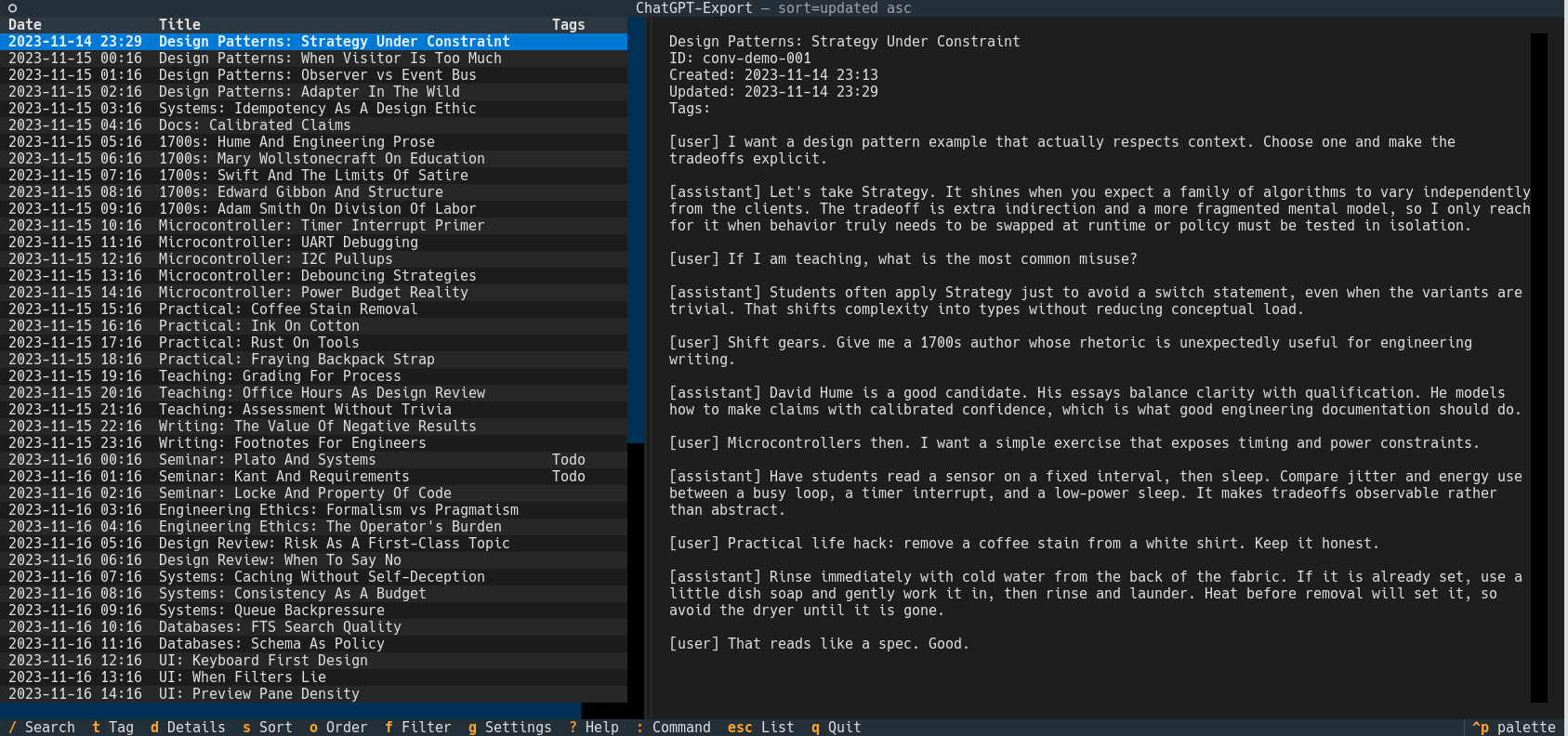
Exported ChatGPT data is valuable, but the default bundle is hard to browse. I wanted something that feels like an email inbox with keyboard navigation, search, a list view, and a preview pane. Most importantly, everything stays local, and I can re-import new exports without duplicates. That's why I built Threadindex, a terminal UI (TUI) that indexes my ChatGPT export and lets me browse it like an inbox. It parses the official export bundle (zip or extracted folder), normalizes conversations and messages, and stores them in a local SQLite database with full-text search.
Tools And Stack
- Python 3.11+
- Textual for the TUI layout and keyboard-first UX
- Rich for rendering and formatting
- SQLite with FTS5 for fast full-text search
- Platformdirs for XDG-compliant paths
Core Functionality
- Inbox-style list of conversations with date, title, tags, and message count
- Preview pane with a scrollable transcript
- Live search across titles, content, and tags
- Tagging to organize conversations
- Idempotent imports that update existing threads without duplication
- Commands for import, reindex, diagnostics, and transcript export
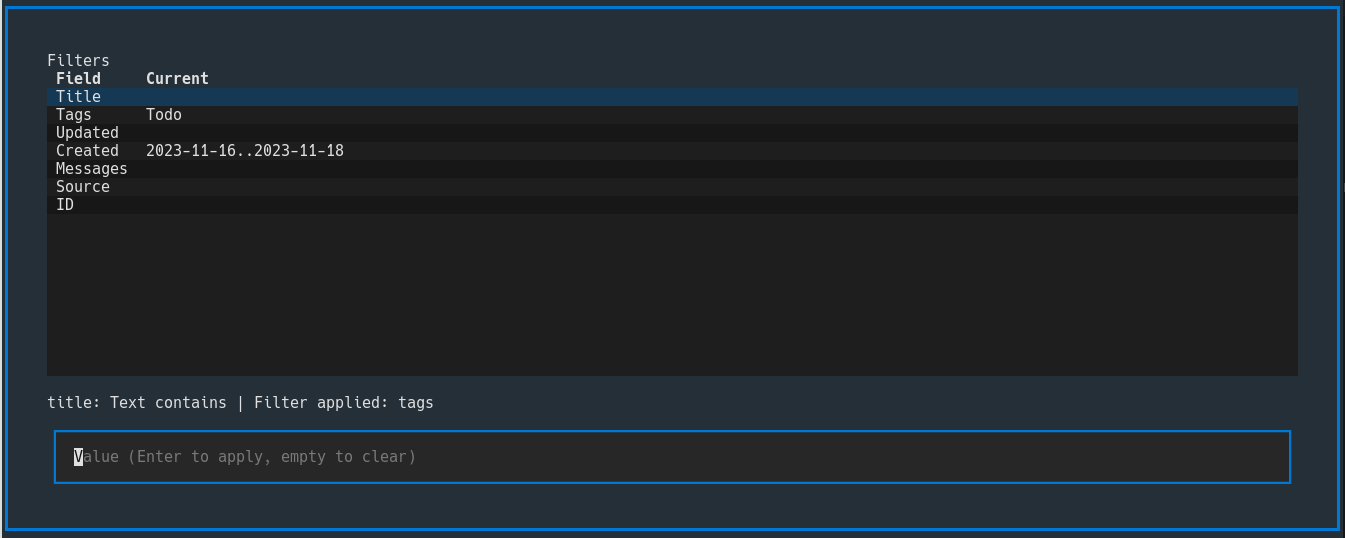
Screenshots
Setup
1. Install
Recommended via pipx:
pipx install .
Or user install:
pip install --user .
If you use pip install --user, ensure ~/.local/bin is on your PATH.
2. Import Your Export
Export your data from ChatGPT, then run:
tindex import /path/to/your/export.zip
You can also point to a JSON conversation file or an extracted export directory.
3. Launch The TUI
tindex
4. More Commands
# Rebuild the full-text index
tindex reindex

# Print diagnostics about paths and database state
tindex doctor

# Set the default database (full path or name)
tindex doctor db-set <database>

# Dump a conversation to stdout
tindex dump <conversation_id>
Keybindings (Defaults)
- Arrow keys: move selection
/: searcht: add/remove tagss: cycle sort fieldo: toggle sort orderf: open the filter dialogg: open the settings dialog (database selection, import, reindex):: open the command bar
Data Locations (XDG)
Threadindex follows the XDG Base Directory spec and never writes into the repo at runtime.
- Config:
$XDG_CONFIG_HOME/threadindex/config.toml - Data:
$XDG_DATA_HOME/threadindex/threadindex.db - State:
$XDG_STATE_HOME/threadindex/(logs and import history) - Cache:
$XDG_CACHE_HOME/threadindex/
If the XDG environment variables are not set, it falls back to:
~/.config,~/.local/share,~/.local/state,~/.cache
Config snippet (for chat links in the detail pane):
[links]
chat_url_base = "https://chatgpt.com/c/"
Notes on Importing
Imports are idempotent. Threadindex detects the same conversation, updates it if new messages or a changed title appear, and only inserts truly new threads. This makes it safe to re-import after you continue a conversation or generate a fresh export.