
SepiaCore Development Notes: Dashboard, Action Console, UI Update
This is a quick write-up of my project SepiaCore . Tthis summary captures the recent changes and decisions.
Dashboard
I implemented the dashboard with backend and frontend architecture that supports editable layouts it replaces the mockup.
Now it is possible for users to create their own dashboards, edit them and place widgets in it. It uses Gridstack.js and the dashboards are stored in the database. Users can switch between dashboards and set their default dashboard.
Action Console Widget: Command-First Workflow Inside the Dashboard
The Action Console is a terminal-like widget that can run inside the dashboard and eventually standalone. The core UX is text-based with inline input, suggestion rows, and local per-user history. Commands include search and create flows for entities, and the console now supports execution hooks:
- Command parsing for
searchandnew, plus basichelpandclearcommands - Token-based suggestions for commands and entities
- Tab and space acceptance, with cycling behavior
- Ghost text completion for the active suggestion
- Per-user history stored locally
- Real-time search results inline, with Tab/Enter behaviors to open records
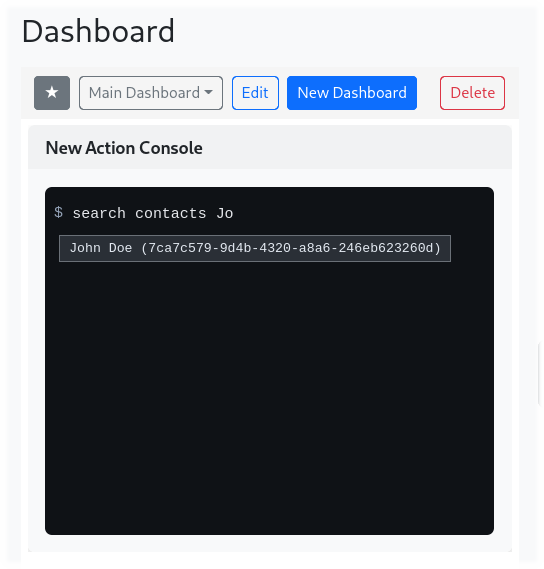
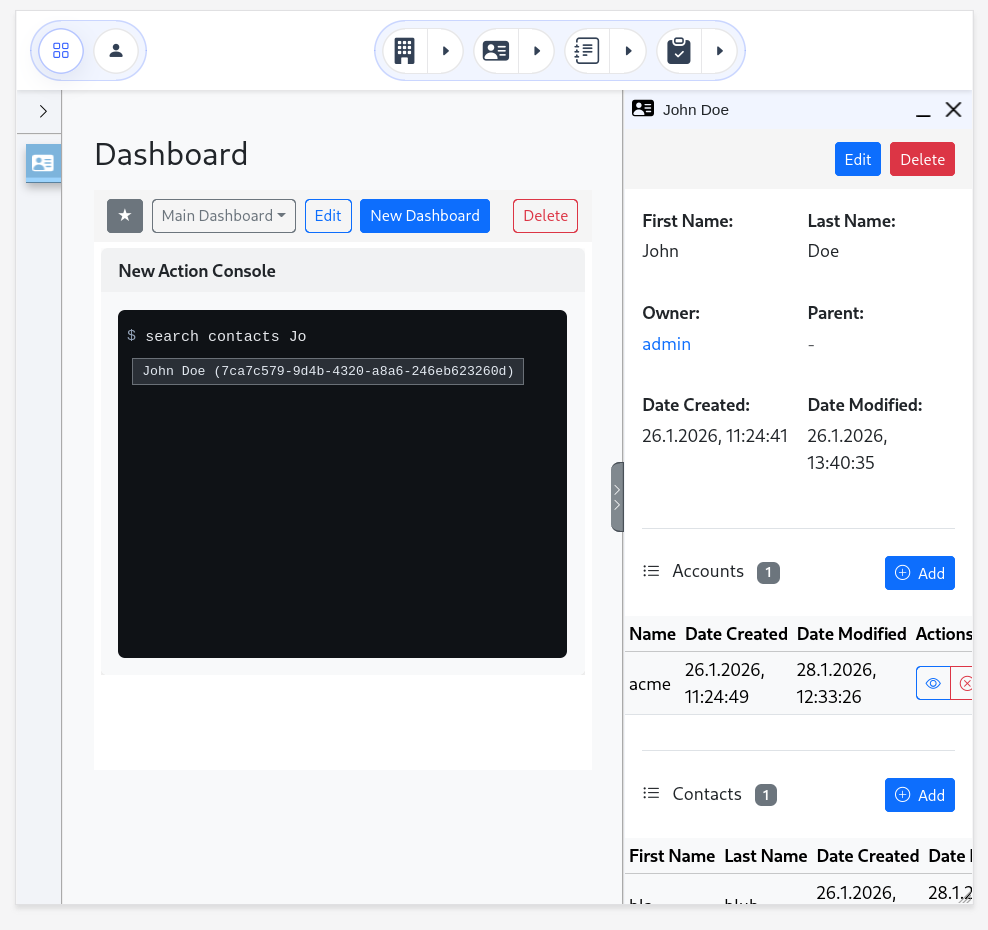
The Action Console is wired into the existing entity list API and WinBox windows: searches return live results, records open directly in windows, and new entity creation spawns a dedicated create window.
Responsive Shell & Navbar Refresh: A Predictable UI Frame
A large portion of the recent work consolidates the app shell and navigation system. The goal was consistency across desktop and mobile, and alignment with a refreshed visual style.
Navbar

- A new pill-style navbar layout with custom dropdowns and clearer active states
- Horizontal entity scrolling with hidden scrollbars to stabilize navbar height
- A fixed CSS variable (
--navbar-height) for layout alignment across content, sidebar, and window pane - Fully custom dropdown behavior in the navbar, replacing Bootstrap dependencies
Window Pane
Per default, WinBox windows are not free floating anymore. They attach to a collapsable and resizable Window Pane.
Mobile
A centralized viewport tracker (useViewport) that defines the mobile breakpoint. WinBox windows become fullscreen at or below 768px, with dragging and resizing disabled. Sidebars and the window pane automatically collapse, while desktop behavior remains unchanged when leaving mobile.
Sidebar Window Placeholders:
I do not attach the real WinBox DOM into the sideba, like before, but changed that to a pure placeholder representation:
- Every open window has a stable sidebar entry
- Minimized windows are hidden and represented by placeholders
- Click behavior toggles minimize/restore/focus, based on state
- Styling becomes fully controllable in both expanded and collapsed sidebar modes.